Check IBAN Web
Introduction
In this case, no integration is necessary, allowing the service to be used directly from the Web. It is possible to perform both individual and bulk checks by uploading XLS or .csv files.
Additionally, a dashboard is available that allows you to monitor requests through a clear and functional interface.
The Fabrick Check IBAN dashboard allows you to:
- Verify whether a person or company is the holder of an IBAN
- Perform individual or bulk checks
- Monitor service usage and consumption percentage
- View checks performed in the last 45 days
The page displays data updated in real time and offers useful search and filtering tools for quick analysis.
Dashboard Overview
At the top you will find a general summary:
- Checks performed in the current month
- Available checks
- Usage percentage
- Date of the last update
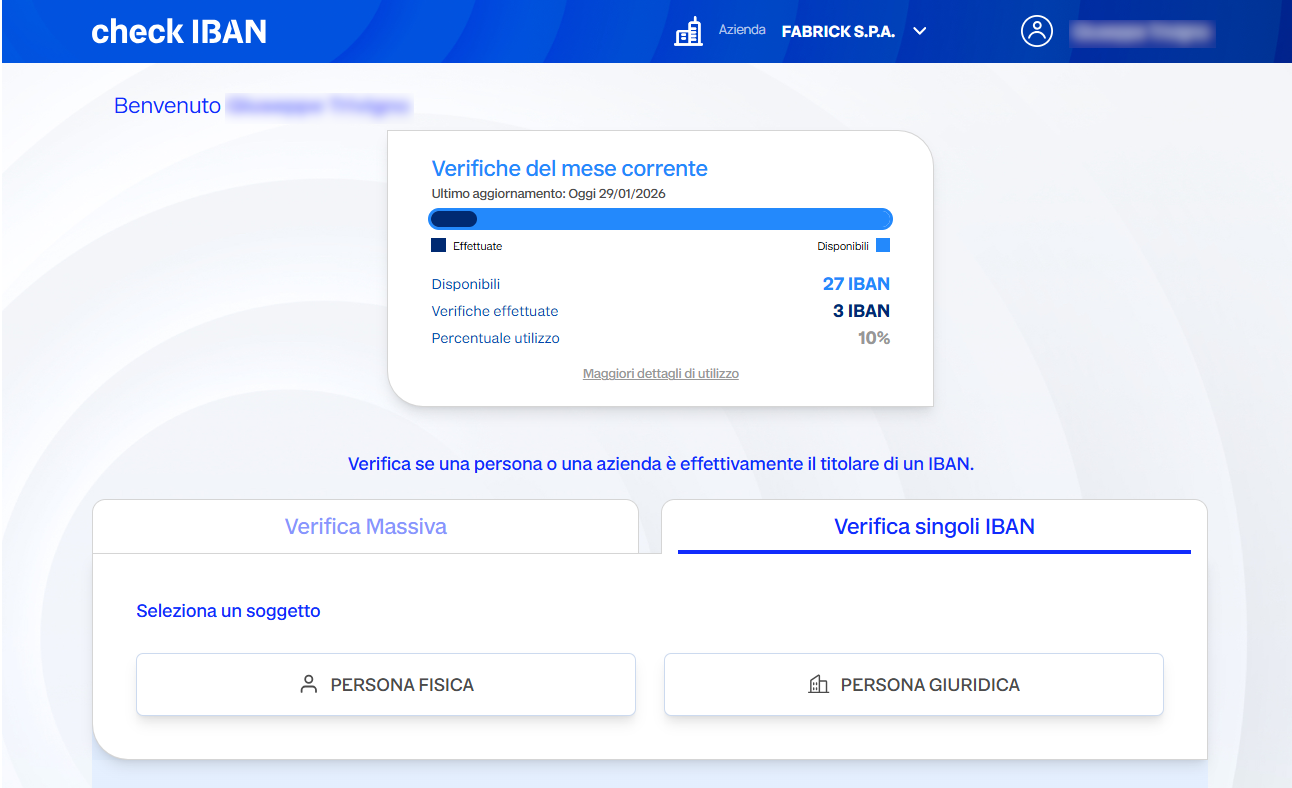
Example (as seen in the dashboard):
- Checks performed: 3
- Available: 27
- Usage: 10%
Verification Types
The dashboard offers two control modes:
- Single IBAN Verification: allows you to check a single IBAN.
- Bulk Verification: allows you to upload a file containing multiple IBANs to be verified in bulk.
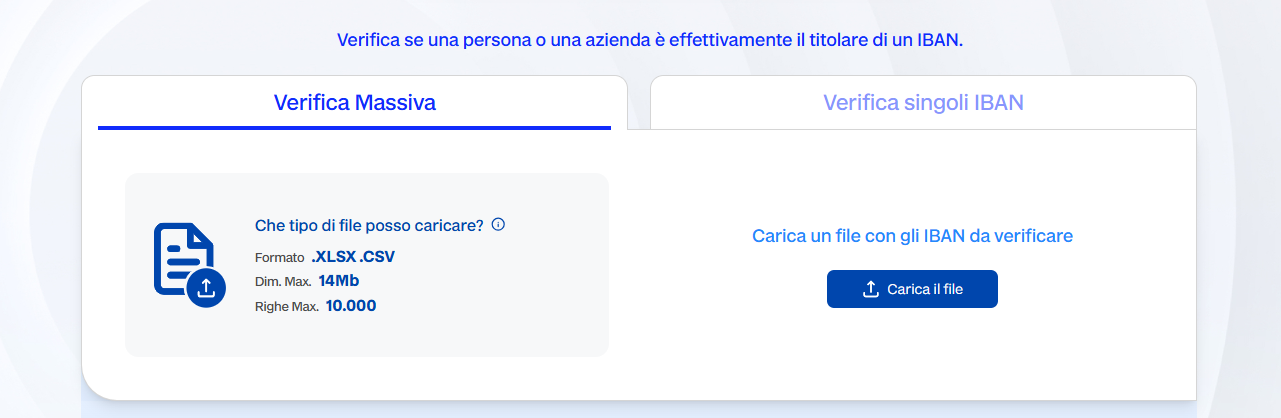
Subject Type Selection
Before starting the verification, choose the type:
- Natural Person
- Legal Entity
The selection is mandatory as it determines which fields to fill in (Tax ID or VAT number).
Viewing Checks for the Desired Period
The central part of the dashboard shows the recent history:
- Total number of checks
- Confirmed checks
- Unconfirmed checks
- Detailed list of results
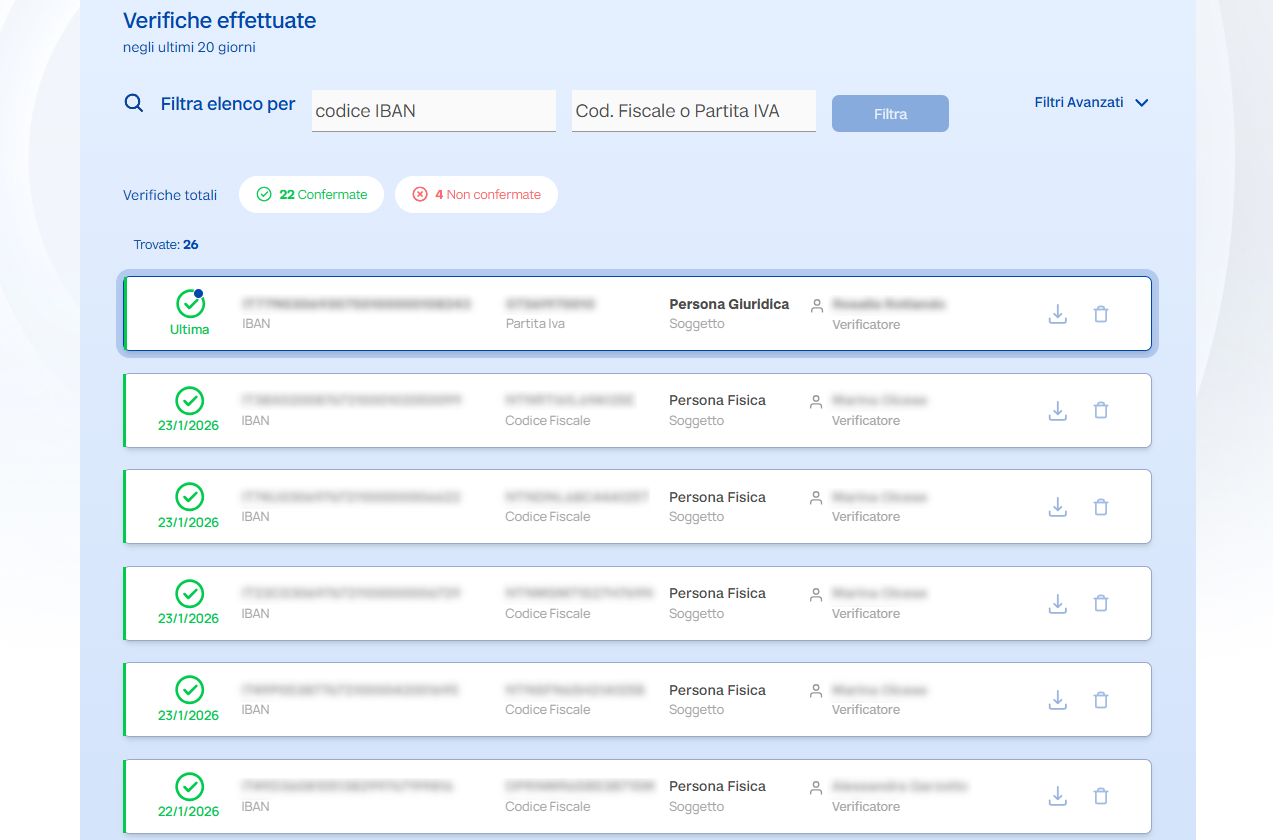
Fields Displayed for Each Verification
- Verified IBAN
- Tax ID number / VAT number entered
- Type of entity (natural person / legal entity)
- Date and time of verification
- Verifier (user)
- Result: confirmed / not confirmed
- IBAN bank details (if available)
For each item, you can download the details or delete the verification using the Download – Delete buttons.
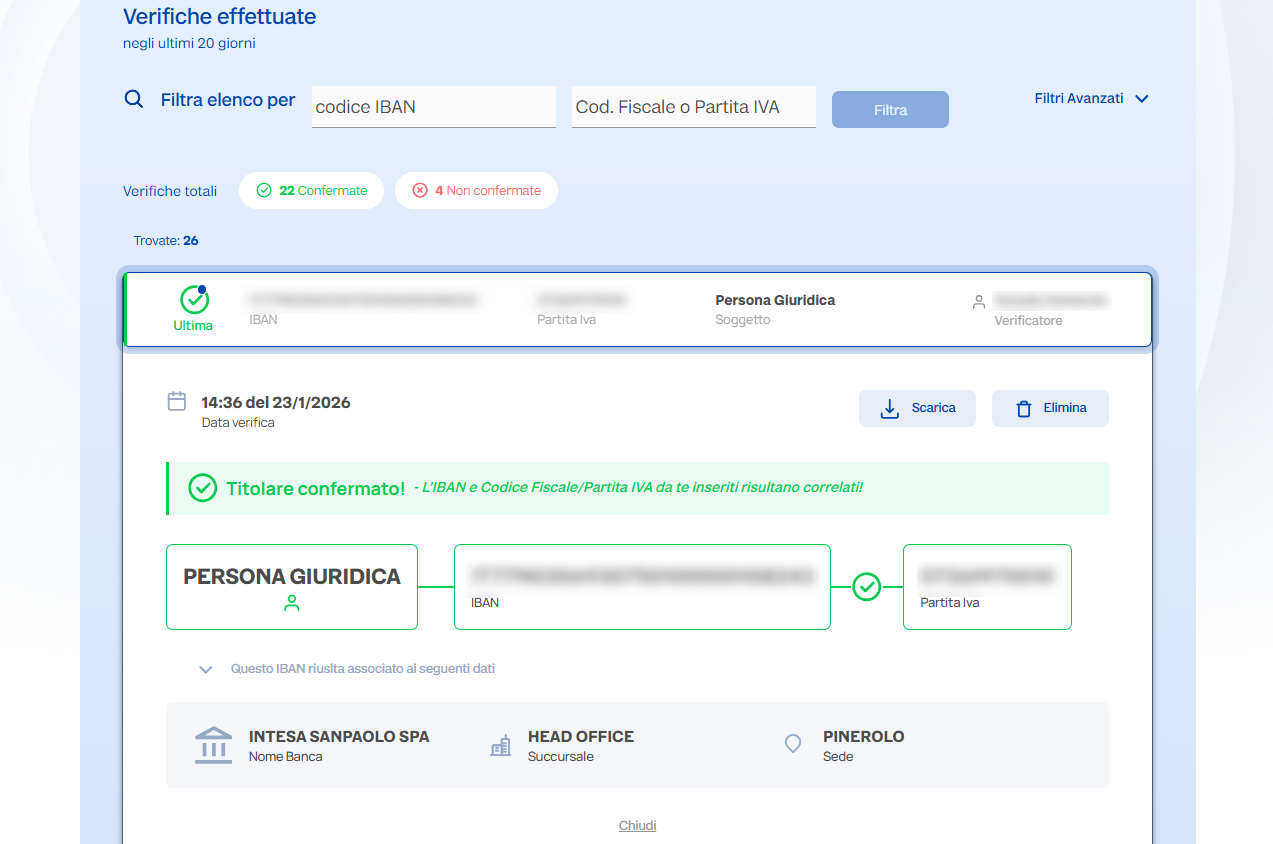
Search Filters
You can filter the verification history using:
- IBAN
- Tax ID or VAT number
- Date
Filters are applied immediately, updating the results list.
Verification Detail
Clicking on an item in the list opens a pop-up window with:
- Verification outcome ("Account holder confirmed" or not)
- Details of the PSP (Bank) associated with the IBAN
- Branch information (e.g. ROMA PIAZZA DI SPAGNA B)
- Associated tax ID or VAT number
This window helps you quickly verify that the data is correct.
Exporting and Managing Results
For each line in the list, you can:
- Download the verification result
- Delete the entry from the history