PSU Guide
Introduction to the FPP
The following document describes the operations that the PSU must perform in the initialization phase of a payment on Fabrick.
This phase is initiated by the FPP by redirecting the customer to the link returned by the POST CreatePaymentWorkflow API.
This phase is necessary for regulatory purposes as Fabrick has the role of TPP according to the PSD2 nomenclature and it is the entity supervised and authorized by the Bank of Italy.
The guide may be shared with the PSU as a source of support.
PSU tutorial
Introduction
With the API POST CreatePaymentWorkflow the FPP will be able to initiate the flow that Fabrick will present to the PSU.
It will also be able to pre-fill an IBAN or even use a previously saved PSU account. For all the details, refer to the guide Fabrick Pass - Payment Initiation.
Payment flow
When the FPP initialize the workflow, the PSU will arrive on the following Fabrick page:
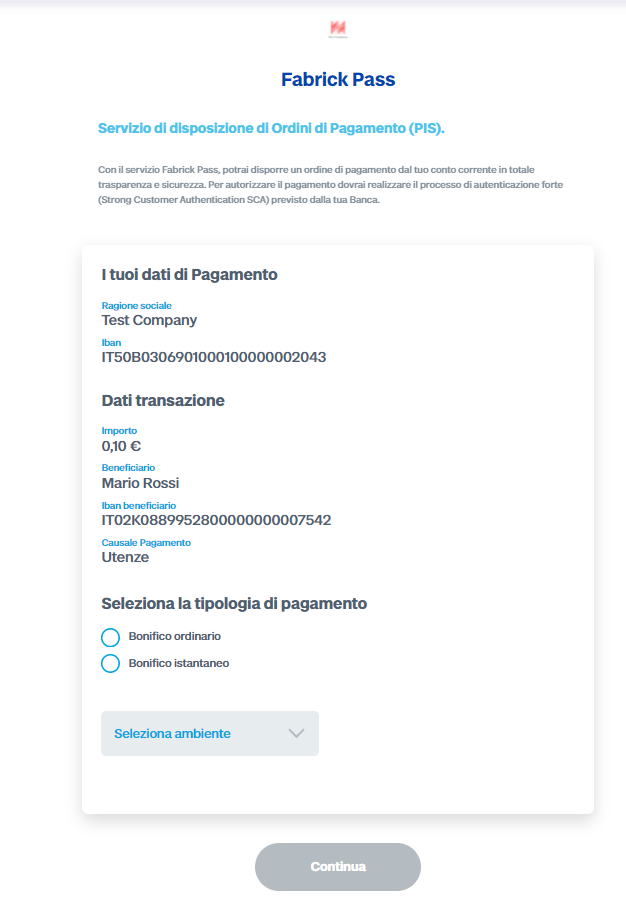
The first part shows some information about the FPP and the provided service. The second part instead shows a brief summary of the payment.
If the bank supports instant transfer, the PSU has to choose between:
- ordinary bank transfer
- instant transfer
The last drop-down menu of the box allows the PSU to select the environment, choosing between a real account and a test account displayed by the selected bank. In fact, all banks must expose a sandbox environment to allow testing of TPPs (or FPPs in this case). Obviously this menu is present only in the test environment and it's removed in the production environment.
By confirming the initialization of the payment, the PSU will be redirected to the page for entering your bank's credentials. Depending on the modality exposed (see technical document for details) it will be possible to continue on the Fabrick page or be redirected to the final bank page. Some banks require a union of the two possibilities: on the Fabrick page the PSU will insert the bank user code they use to authenticate to the bank, and then he will be redirected to the final bank page.
An example of this last modality is given by Sella:
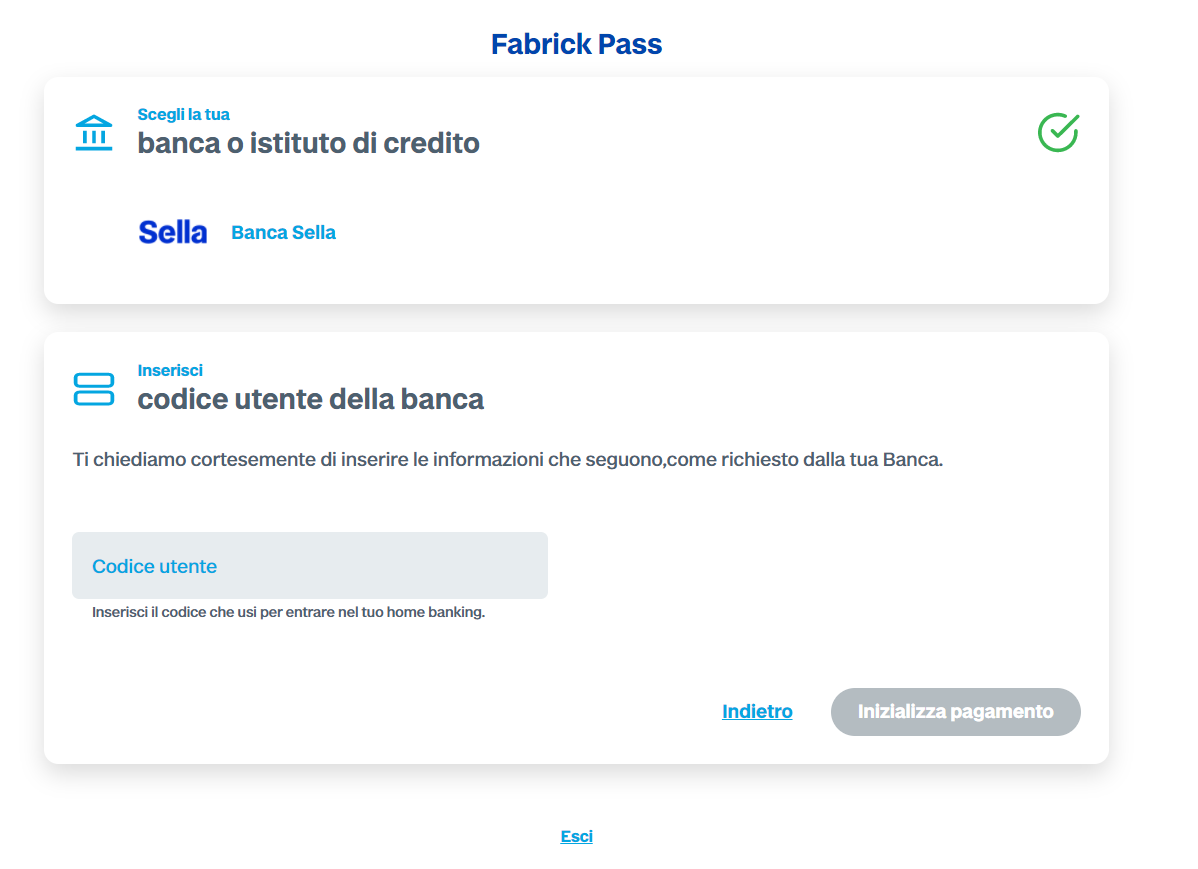
In our example, after entering the bank user code the PSU will be redirected to the Sella page
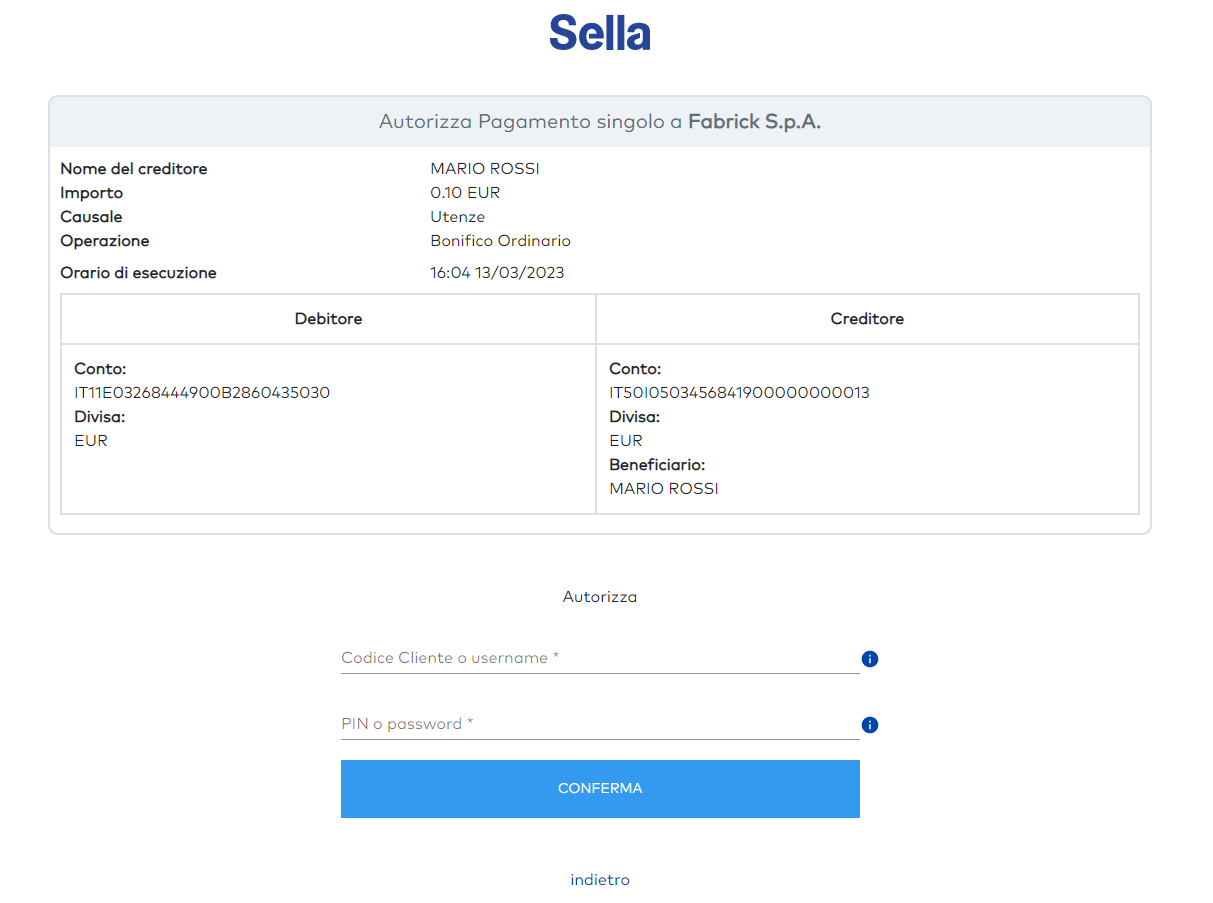
Immediately after entering the credentials, the PSU will proceed with the confirmation via the second factor. The expected behavior must be exactly the same as for internet banking: receiving an SMS or a push notification on the smartphone...
There is also the possibility that the second factor is not requested, in this case we speak of exemption (see PISP exemption rules) and the payment will be authorized after confirmation of the authentication credentials.
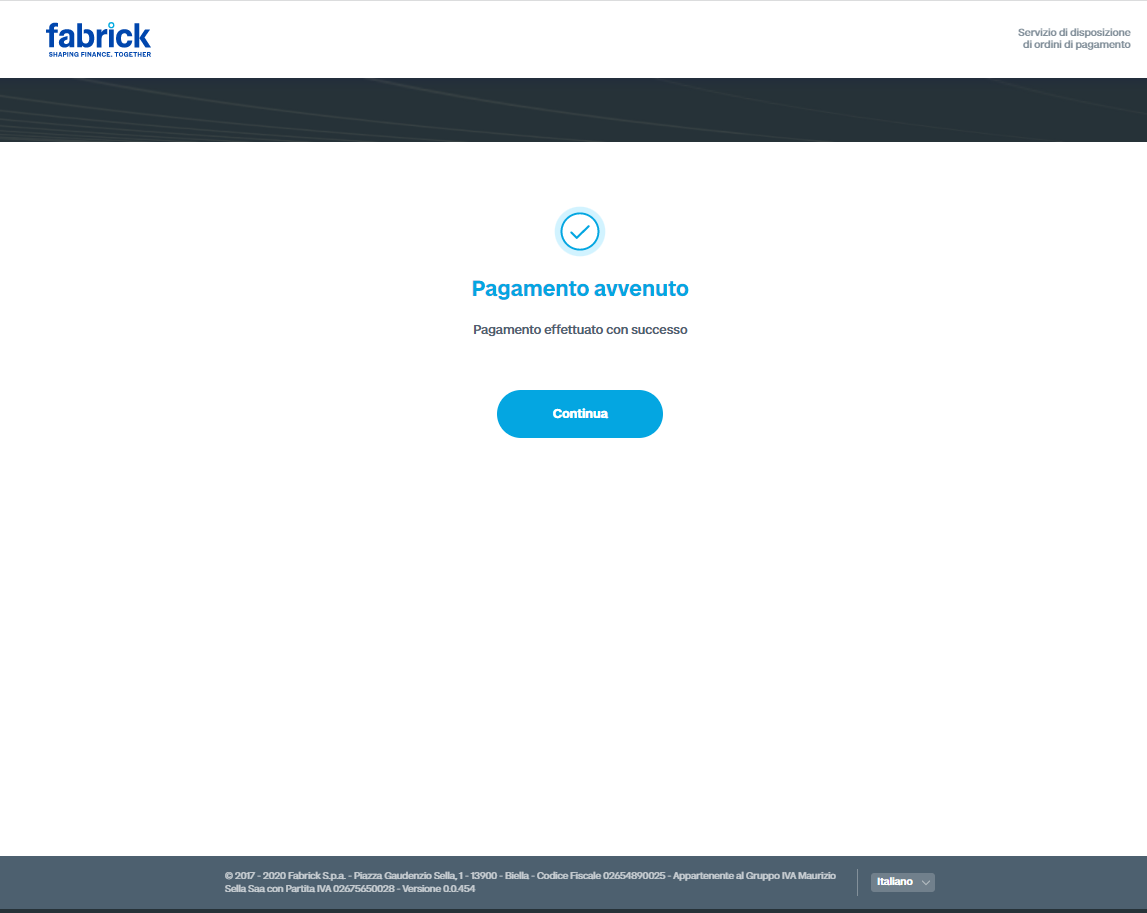
Once the flow has finished, the FPP will be able to decide, based on a configuration defined with Fabrick during setup and valid for all payments, whether to show a Fabrick page with a personalized message or to redirect the PSU directly to the page of any application.
The choice may depend on several factors:
-
se the payment flow was initiated from the FPP app or via a "payByLink" sent by email
-
se the FPP, once the flow is complete, prefers to manage the UI from its own app or delegate the UI to Fabrick.