Tokenization
Tokenization is a process whereby the sensitive data of a payment card is replaced with a token — a numeric or alphanumeric code that uniquely represents the card but contains no sensitive information.
Tokenization relieves the merchant of the burden of complying directly with PCI DSS standards, since the card's sensitive data is not handled or stored on the merchant's system but on the servers of the service provider (payment gateway), which returns a PCI-compliant token that you can store in your own systems.
This solution improves both security and the purchase experience, allowing the customer to save multiple payment methods and speed up checkout.
Using the token is also a fundamental requirement for managing recurring payments
The tokenization service is also available for some APMs that support the feature. For APMs that support tokenization, you can obtain a token representing the buyer's account, which does not require updating since it represents the buyer's account rather than the card data.
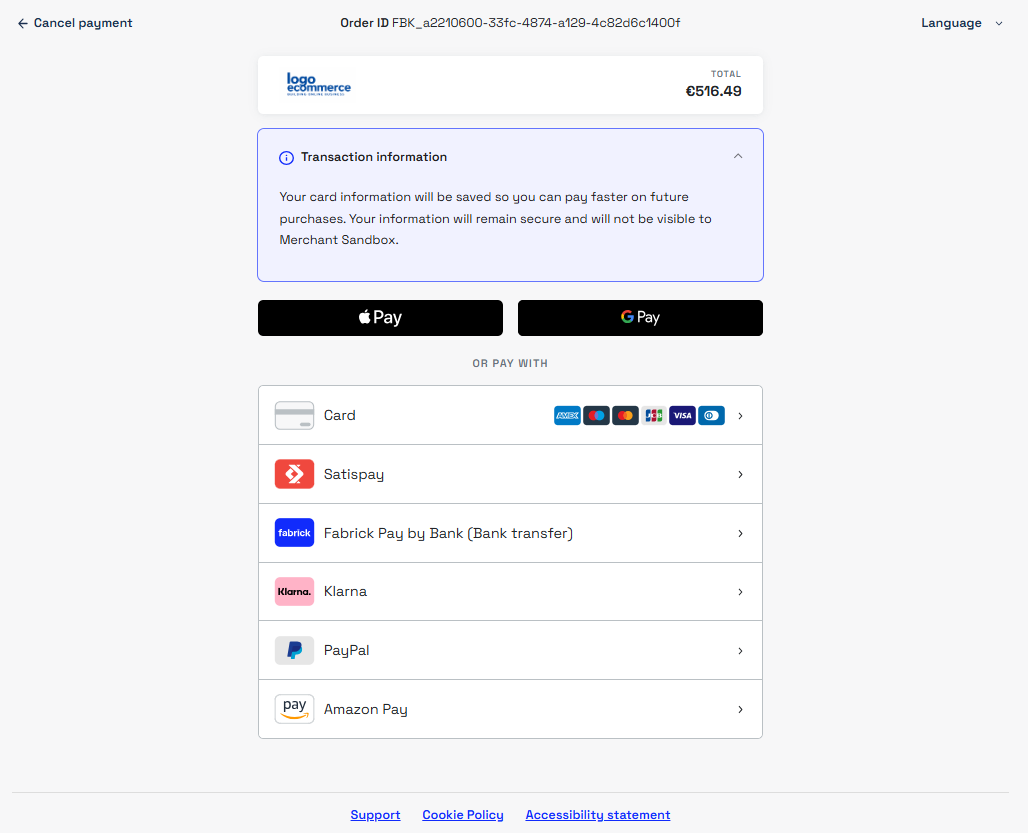
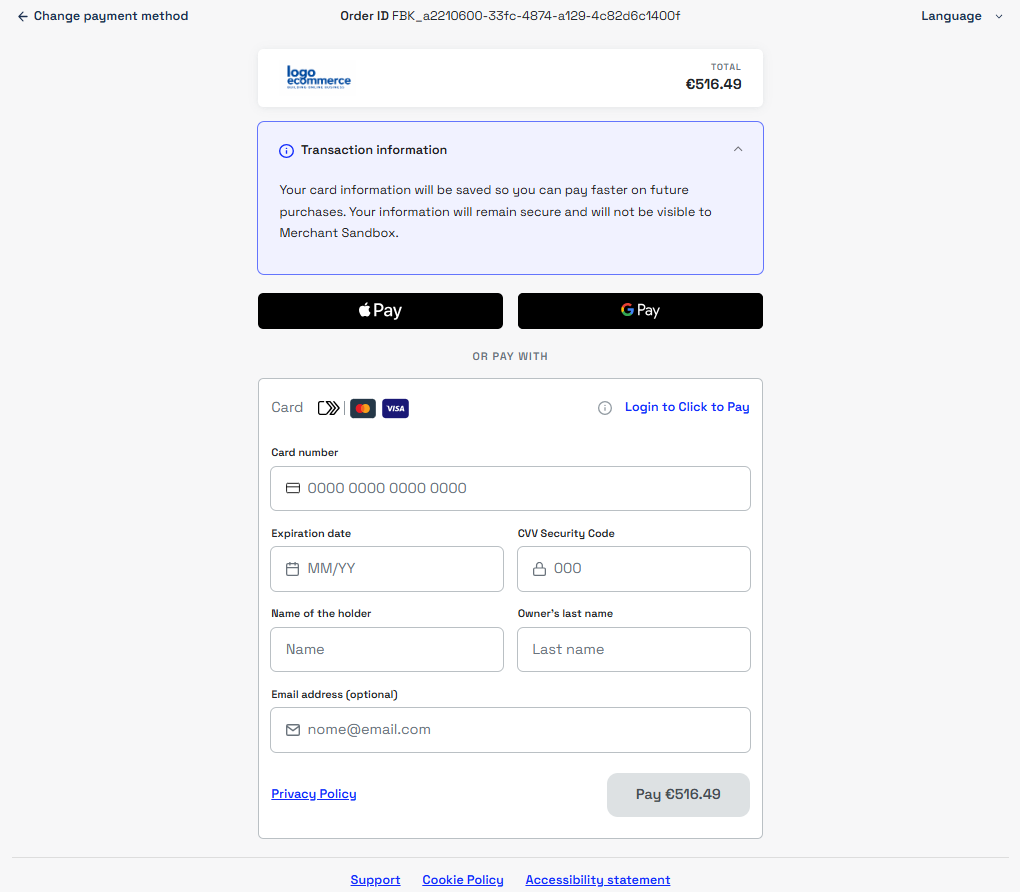
Before proceeding with tokenization, the buyer must be informed that their card data will be tokenized. Responsibility for this notice depends on where the card data is collected:
- Fabrick solutions (Fabrick payment page, Web Component) — the notice is already handled. When the transaction includes a tokenization request, the system automatically displays the message directly on the page, with no action required from the merchant.
- Custom payment page (API Only integration) — the notice is the merchant's responsibility: the message must be shown to the buyer before the card data is submitted.
Below are the messages displayed automatically by Fabrick solutions:
Token types
Card tokens can belong to two main categories:
Proprietary Tokens
Generated by the Fabrick system and managed by the merchant.
- Support all card schemes.
- If the card is close to expiration, you must request updated details from the buyer.
- If they cannot be converted into network tokens, they remain valid for transactions.
Network Tokens
Generated and managed by the international card schemes.
- Available for Visa and Mastercard.
- Support automatic updates of card data.
- Reduced risk of failed transactions due to expired cards.
- PSP and network tokens: strategic tools for e-commerce
- Tokenization whitepaper: the strategic tool for PSD2-compliant e-commerce
Token Management
Backoffice configuration
Configure the Gestpay Backoffice as shown below to receive the token and its details in the response.
This configuration is required to obtain the token data in the response only when the payment/submit call does not require buyer redirect for authentication, and the system immediately returns the final transaction outcome.
Select the configuration based on the integration type:
- No Display → for integrations that do not use the Fabrick payment page
- Payment Page → for integrations that use the Fabrick payment page

For both configurations, enable the following fields in the Fields & Parameters section:
-
Token fields: return the token and its expiry in the
payload.token,payload.tokenExpiryMonthandpayload.tokenExpiryYearfields of the response.
-
TokenDetails: returns the
payload.tokenDetailsobject in the response, which contains more details about the token (type, tokenized card data and associated graphic assets). See Reading Token Data.
Requesting a Token
To generate a token you must start a transaction toward the buyer, since the token must be authenticated.
The tokenization request is made by adding the requestToken field to the call, set to MASKEDPAN, thereby instructing the system to generate the token and return it in the final transaction outcome.
Tokenization can only be requested through a transaction.
The transaction amount can be set to zero using a Non‑Payment Authentication (NPA) flow.
For more details on the NPA flow, see the dedicated section: NPA — Non‑Payment Authentication.
You cannot use alternative methods, such as the POST shop/token call, to generate a token independently.
During the transaction the system:
- verifies that the expiration dates entered by the buyer are correct
- requests cardholder authentication
At the end of the transaction, you'll be able to obtain the token of the card used in the response.
Request
POST /api/v1/payment/create
Host (sandbox): sandbox.gestpay.net
Host (production): ecomms2s.sella.it
Authorization: apikey ****************
Content-Type: application/json
{
  "shopLogin": "GESPAY12345",
  "amount": "0.01",
  "currency": "EUR",
  "shopTransactionID": "FBK_OrderID",
  "requestToken": "MASKEDPAN" // tokenization service
}
For alternative payment methods (APMs) that support tokenization you cannot use MASKEDPAN, since these services are not based on card data but on the buyer's account. Each APM that supports tokenization documents the specific way to request the service token in its own documentation.
Reading Token Data
You can obtain the token details through the following APIs:
check/tokenpayment/detailpayment/submit(when the call does not require buyer redirect for authentication)
For card and wallet tokens, the payment/detail and payment/submit responses return the token in the payload.token field, together with its expiry in the payload.tokenExpiryMonth and payload.tokenExpiryYear fields. This is the value to store and use in subsequent transactions.
For more information about the token, you can read the payload.tokenDetails object, which returns the same value in the TokenValue field together with the details of the tokenized card. In the following example, the payment/detail call queries a completed transaction for which the card token was requested:
- TokenValue: the token associated with the card, identical to the value of
payload.token. It can be used to perform future transactions without requesting the data from the buyer again. - TokenProvider: indicates who generated the token and therefore its type.
AXERVEidentifies a proprietary token, generated by Fabrick;VISAorMASTERCARDidentify a network token, whose data is updated automatically by the card network (see Token types). - CardDetails: contains information about the tokenized card (last digits, expiry month and year), useful for showing the buyer the card details.
- CardAssets: includes any graphic assets associated with the card.
Request
GET /api/v1/payment/detail/{{PaymentID}}
Host (sandbox): sandbox.gestpay.net
Host (production): ecomms2s.sella.it
Authorization: apikey ****************
Content-Type: application/json
Response
{
    "error": {
        "code": "0",
        "description": "request correctly processed"
    },
    "payload": {
        "transactionType": "detail",
        //...
        "token": "40ZUU8NXALR33101",
        "tokenExpiryMonth": "05",
        "tokenExpiryYear": "27",
        "tokenDetails": {
            "TokenValue": "40ZUU8NXALR33101",
            "TokenExpiryMonth": "05",
            "TokenExpiryYear": "27",
            "TokenProvider": "AXERVE",
            "CardDetails": {
                "CardSuffix": "3101",
                "CardExpiryMonth": "05",
                "CardExpiryYear": "27",
                "CardHolderName": null
            },
            "CardAssets": {
                "CardArt": {
                    "Type": null,
                    "MediaContents": null,
                    "Height": null,
                    "Width": null
                },
                "BrandLogo": {
                    "Type": null,
                    "MediaContents": null,
                    "Height": null,
                    "Width": null
                }
            }
        },
        //...
    }
}
To show the buyer the last digits of the card number you can use the CardSuffix field, which represents the last four digits of the tokenized card.
If needed, you can also show the expiry month and year using the CardExpiryMonth and CardExpiryYear fields in the CardDetails object.
This data lets you identify the card associated with the token without exposing sensitive information.
Updating a Token
Updating a token is only possible for proprietary tokens; network tokens are updated automatically by the card schemes and require no manual handling by the merchant.
To check the token type, read the tokenDetails.TokenProvider field: an update is only required when its value is AXERVE.
To update a proprietary token, the POST shop/token call is available.
In the request you must specify:
- the token associated with the card;
- the updated expiry month and year.
The updated card data must be requested from the buyer.
This operation keeps the token valid for future use, ensuring continuity of recurring or subsequent payments without having to request the card number again.
Request
POST /api/v1/shop/token
Host (sandbox): sandbox.gestpay.net
Host (production): ecomms2s.sella.it
Authorization: apikey ****************
Content-Type: application/json
{
  "shopLogin":"GESPAY12345",
  "creditCard": {
    "token": "40ZUU8NXALR33101",
    "expMonth": "08", // updated expiry month
    "expYear": "31" // updated expiry year
  }
}
Response
{
    "error": {
        "code": "0",
        "description": "request correctly processed"
    },
    "payload": {
        "transactionType": "UPDATETOKEN",
        "transactionResult": "OK"
    }
}
Deleting a Token
To request the deletion of a token, you can use the DELETE shop/token call, passing the required parameters in the URL path: shopLogin and the token to delete.
The same call can also be used to delete tokens generated through alternative payment methods (APMs), if supported by the service.
Request
DELETE api/v1//shop/token/{shopLogin}/{token}
Host (sandbox): sandbox.gestpay.net
Host (production): ecomms2s.sella.it
Authorization: apikey ****************
Response
{
    "error": {
        "code": "0",
        "description": "request correctly processed"
    },
    "payload": {
        "result": "OK",
        "token": "40ZUU8NXALR33101"
    }
}
Deleting a token is an irreversible operation.
Once deleted, the token can no longer be used for future transactions or updates.
Token Groups
Fabrick allows you to create token groups, designed for merchants managing multiple shops under the same VAT number or business name. Each shopLogin in the group makes its own tokens available to the other members and can in turn use theirs, avoiding asking the buyer to enter their card details again.
Only card tokens can be shared within a token group. Tokens generated by APMs cannot be shared and remain available only to the shopLogin that generated them.
Token groups are configured on request. To activate the service, contact your sales representative or support through this link.